ssh keys that expire by themselves.
A new login key every day, signed on your own machine by a key that never leaves your hardware. No server to run. Nothing to log in to.
Backups, synced folders and stolen laptops all carry a key that never expires.
After that the file is worthless. Servers refuse it without being told anything.
One line on each server, once. Everything else happens on your own machine.
Servers trust you once. Your keys change every day.
It is standard OpenSSH certificates, with the signing key locked inside your own hardware and the rotation made automatic.
Trust once
Each server gets one line naming your certificate authority. It is checked with a real certificate login before anything is switched over.
Rotate daily
A fresh key is made every 24 hours and signed after Touch ID, a password, or a touch of your security key. A background check does it for you.
Old keys burn up
Yesterday's key expires by itself. Nothing to revoke, nothing to clean up on the servers, and you keep typing ssh server.
Built for the part people skip.
Rotation means nothing while an old permanent key still gets in, and removing it is only safe with a way back. The tool handles both.
Hardware-held signing key
Secure Enclave with Touch ID on a Mac. A password or a FIDO security key on Linux and Windows. Never an unprotected file unless you ask for one.
Audit
Lists every other key your servers and Git accounts still accept, tells yours apart from other people's, and gives the command that retires each one.
Recovery key
A password-protected spare, installed everywhere and kept off the machine, so a lost laptop is an inconvenience and not a lockout.
Git accounts in step
GitHub, GitLab, Bitbucket, Forgejo and Gitea get each new key through their API, and the previous one is removed.
Hard to lock yourself out
Changes are verified before and after. A bad change is put back by the server itself within two minutes. The last key of an account is never removed by accident.
Fits how you deploy
The same trust as a NixOS option, cloud-init user data, an Ansible task, a whole-server sshd setting, or PowerShell for Windows servers.
One window. One button.
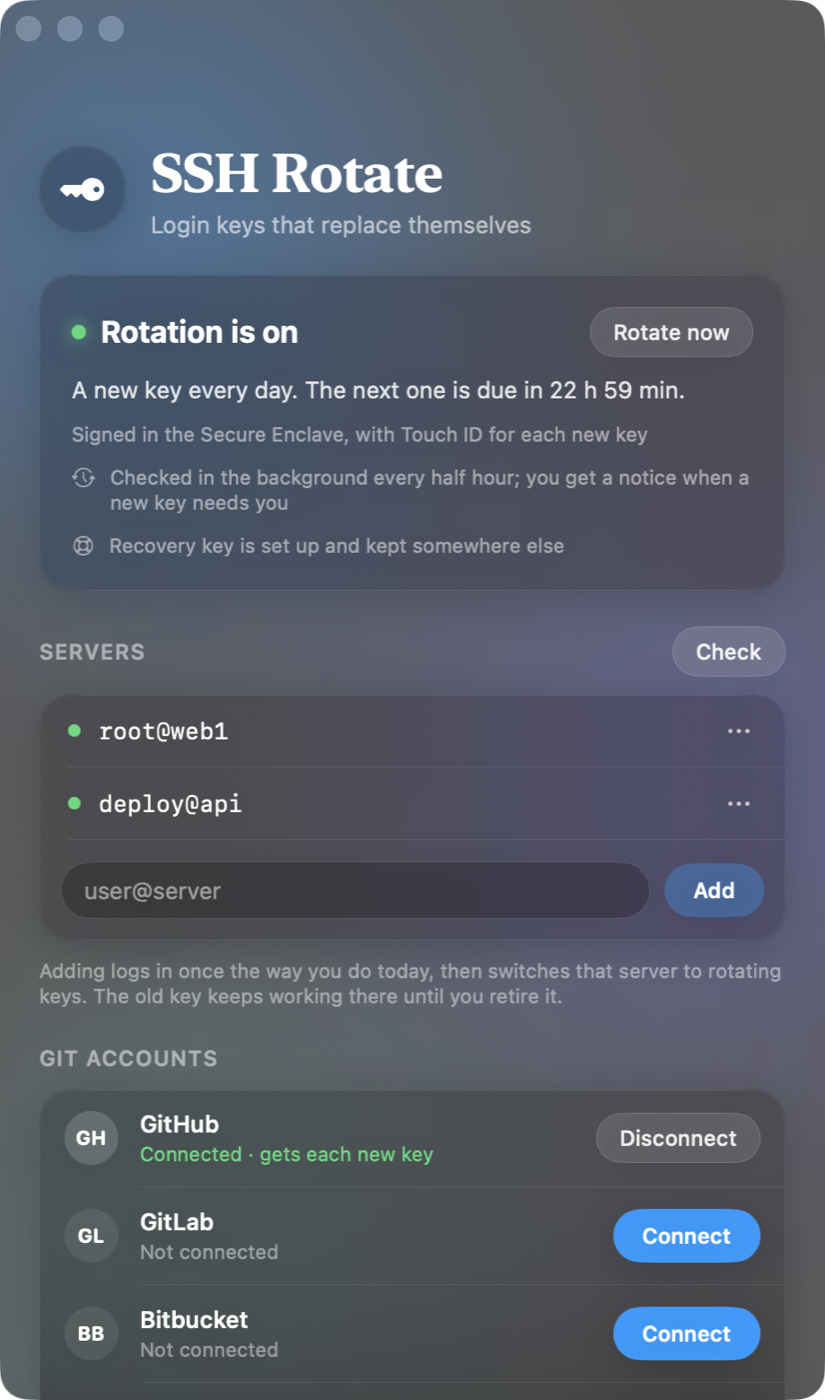
For people who would rather click than type, a native Mac app sits on top of the same engine.
- Turns rotation on, with or without Touch ID.
- Renews a key that is due the moment you open it.
- Shows which servers still accept an old key, with a button to retire it.
- Connects Git accounts and creates the recovery key.
Tested against real machines on every change.
Security tools are easy to fake. This one is run end to end, on real servers, each time the code changes: more than 390 automated checks.
What it does not do.
- It does not stop someone who controls your unlocked machine while you use it. It limits them to today.
- A fingerprint prompt cannot say what it is for. Approve one you did not cause and you have signed a key for whoever asked.
- Today it manages one person's keys. Teams are next.
From one laptop to a whole team.
Want to use it, or back it?
sshrotate is in private early access. Tell us what you run and we will get you set up, or get in touch if you want to help take it further.